Windows · Licensed
Campus OS
Manage academy billing, counter payments, arrears, discounts, and financial records on a Windows PC. The school record is stored locally so day-to-day work can continue without an internet connection.
Academy fee management that keeps working offline
Windows 10 or later; 64-bit; installs without admin. Version 1.4.0. Every feature is free for 45 days without a key; contact Intlox for a licence afterward. Trial data is retained.
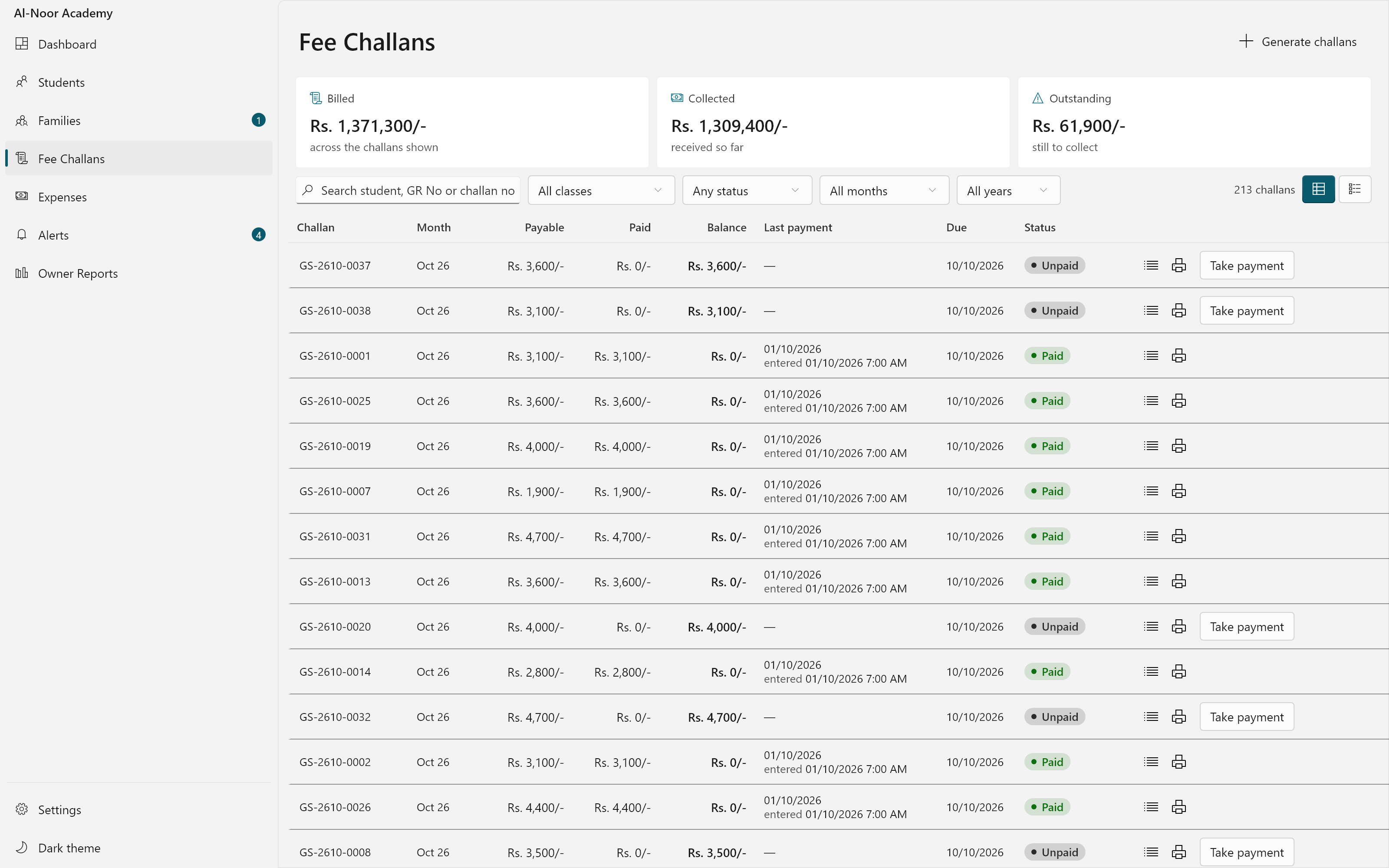
Monthly fee challans
Create the fee bill for a whole class, a wing, or the entire school in one step. Every student's discount, extra charges and last month's unpaid amount are added in automatically, and you can check each child's total before anything is billed.
Fast payments at the counter
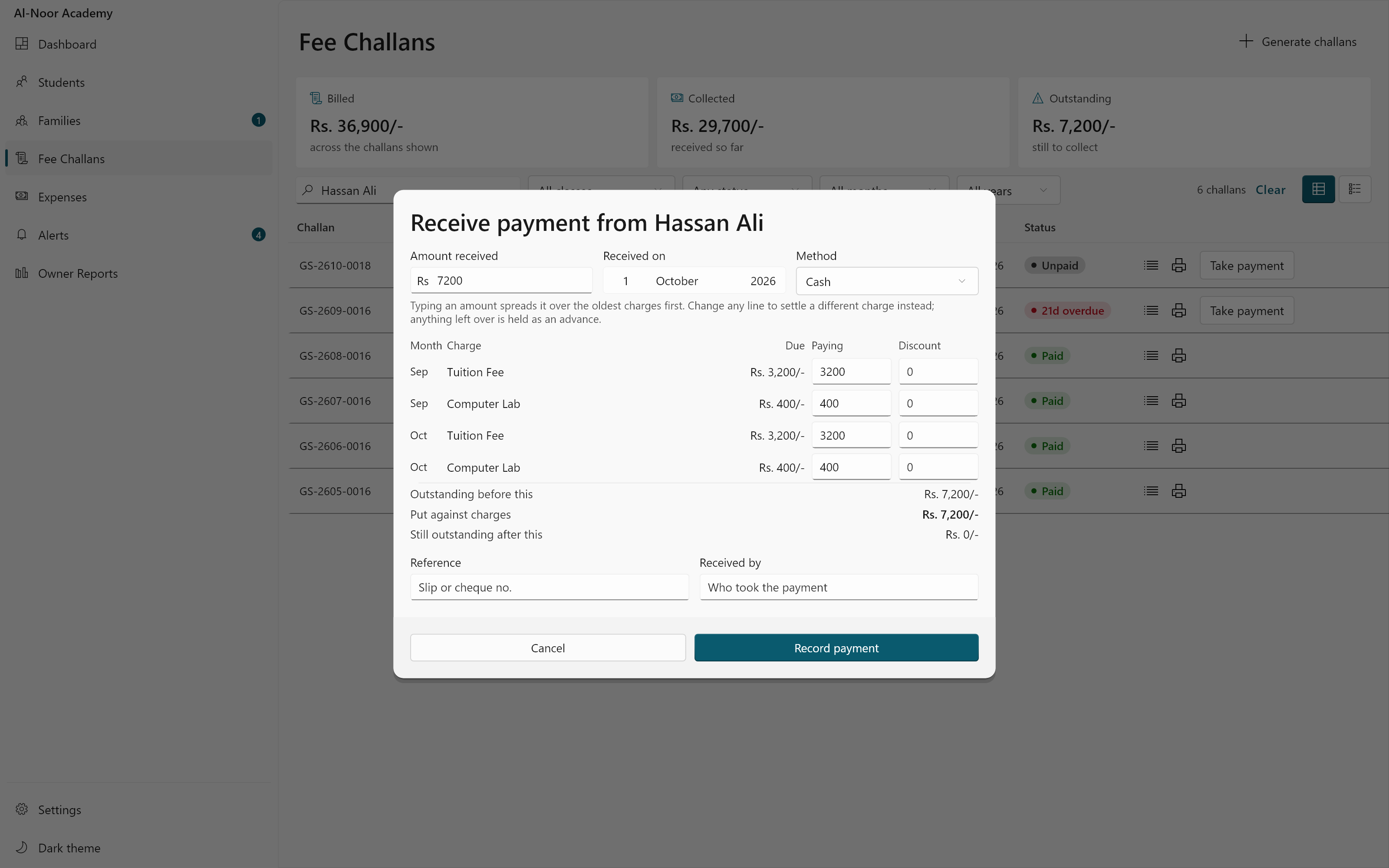
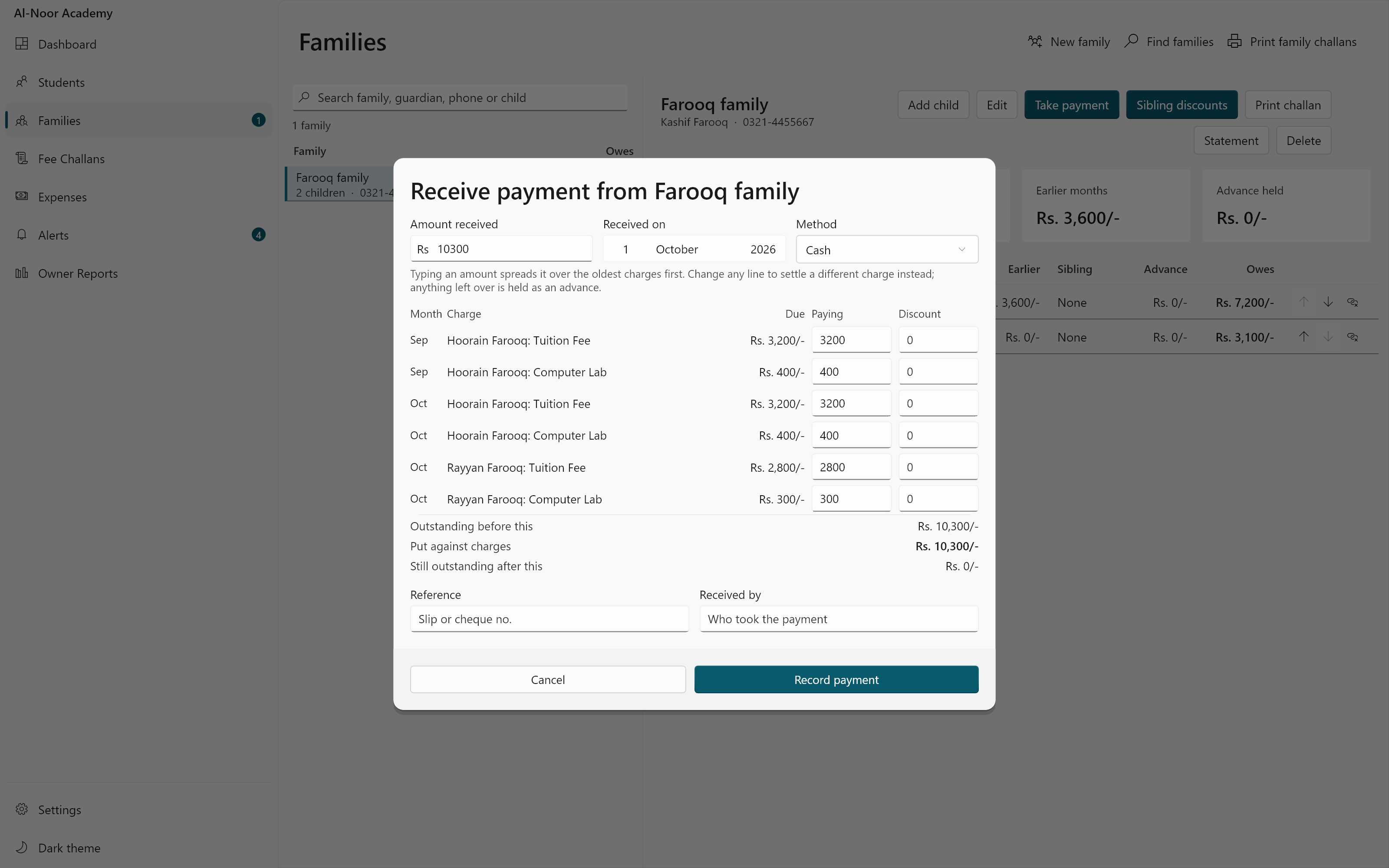
When a parent pays, one screen shows every charge still owed for that student. Settle several months at once, pay part of a bill, add a discount, or save the extra money for a bill not raised yet. The receipt prints right away.
Complete fee history
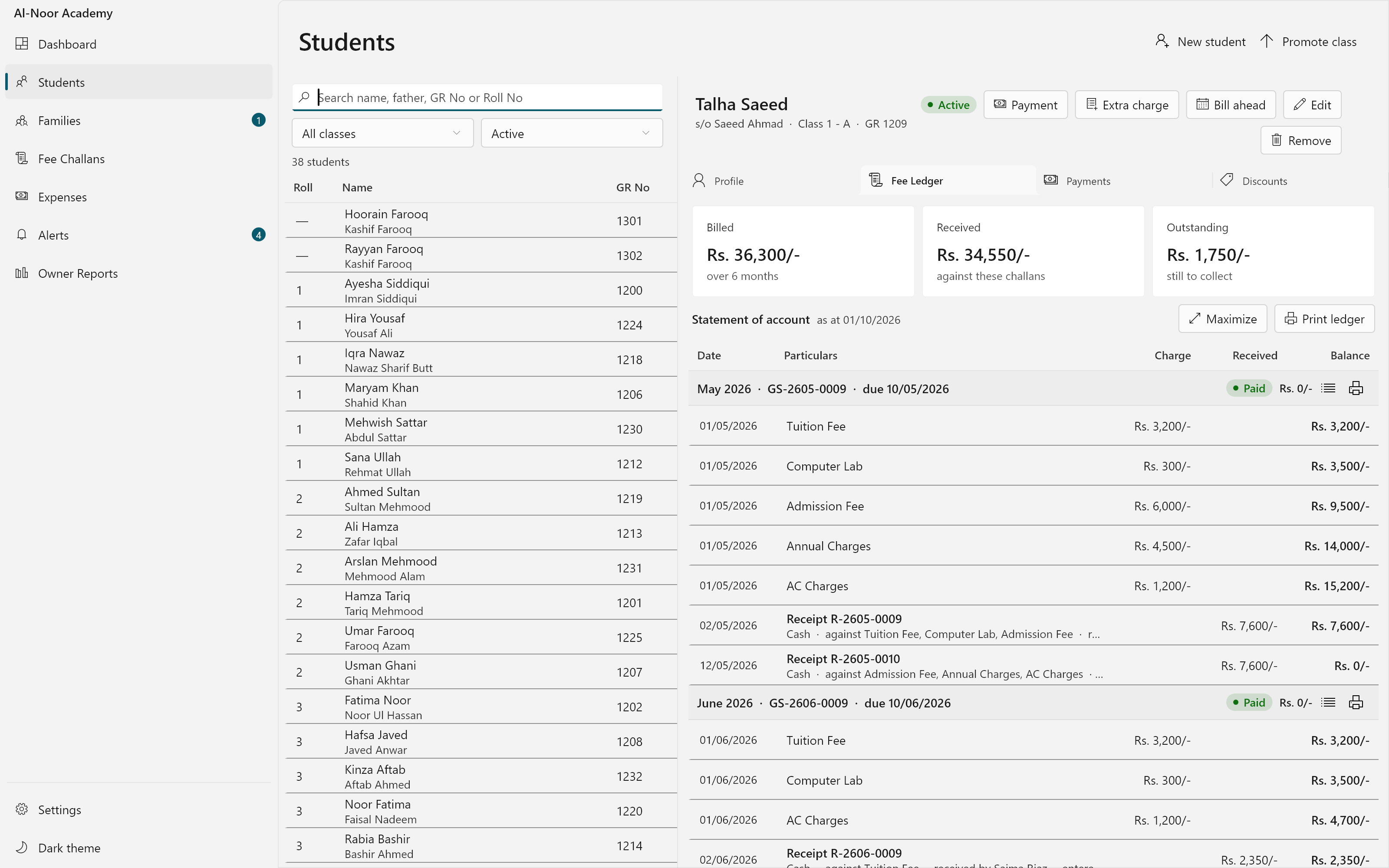
Every student has a full statement: each charge, each payment, and the balance after every one of them. When a parent asks what they owe, the office reads the answer off the screen instead of digging through an old register.
One bill for the whole family
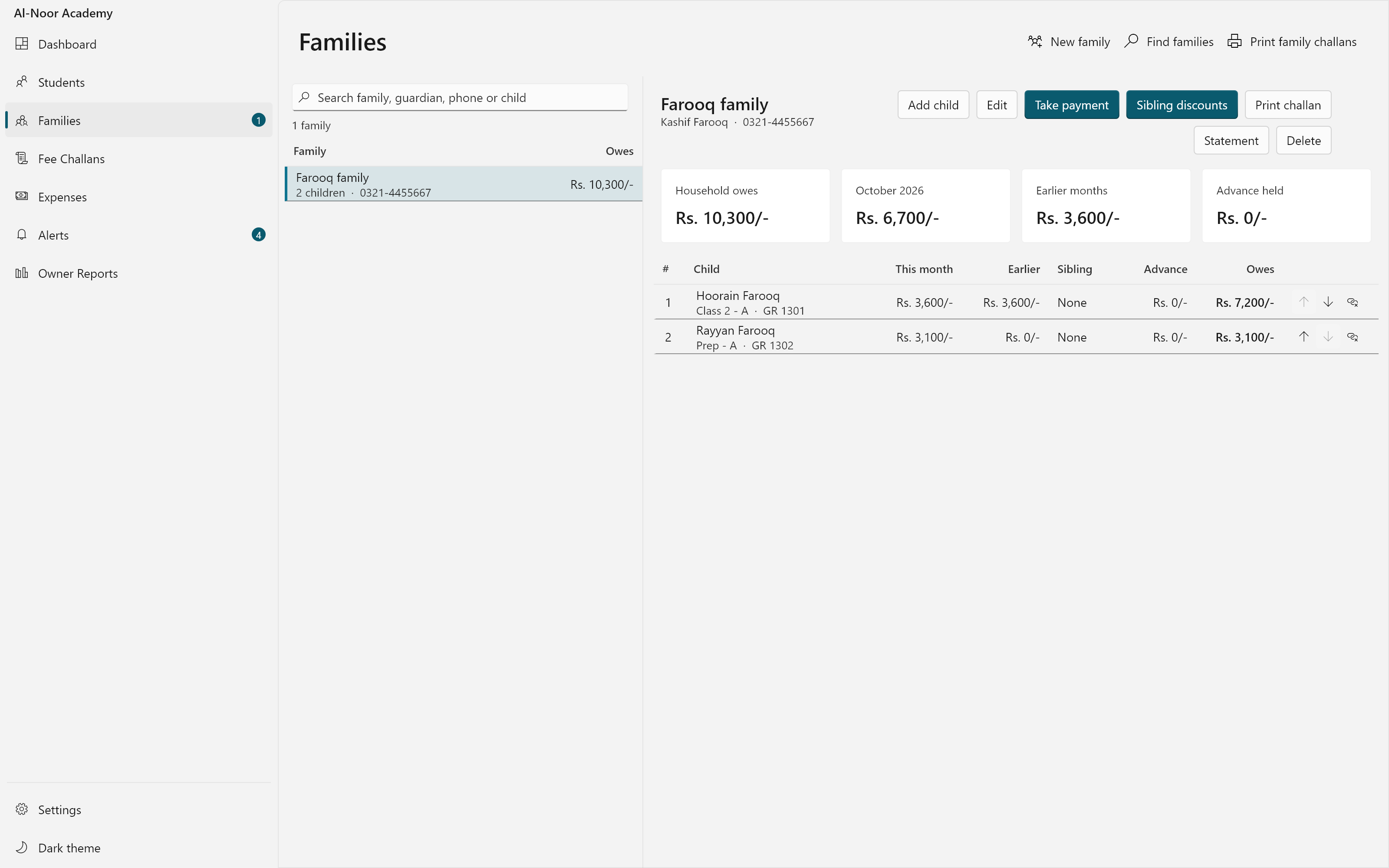
A family with more than one child at the school can pay for all of them together. The payment is used on the oldest unpaid charges first, across every child, and one receipt covers the whole family instead of one receipt per child.
Discount tracking
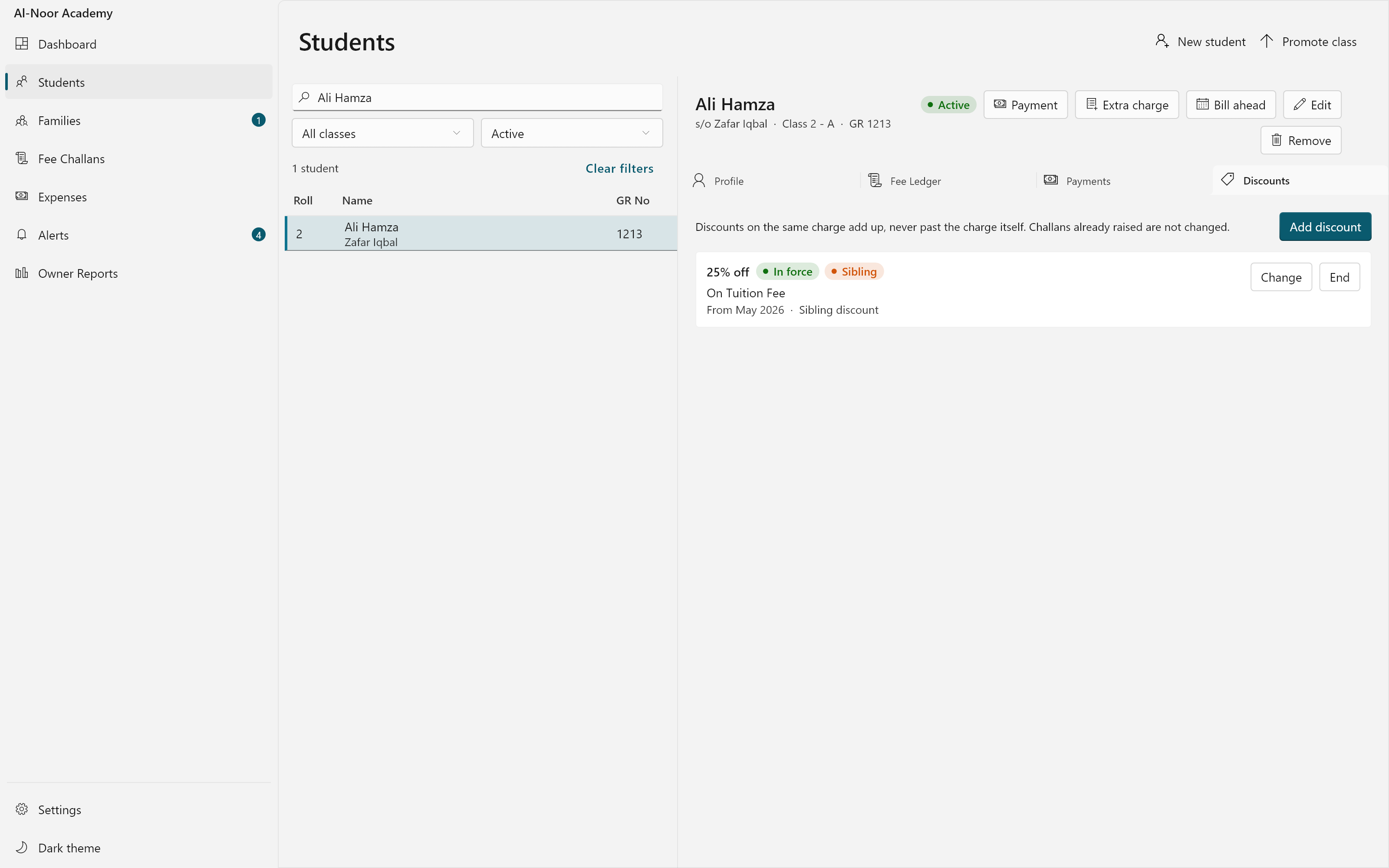
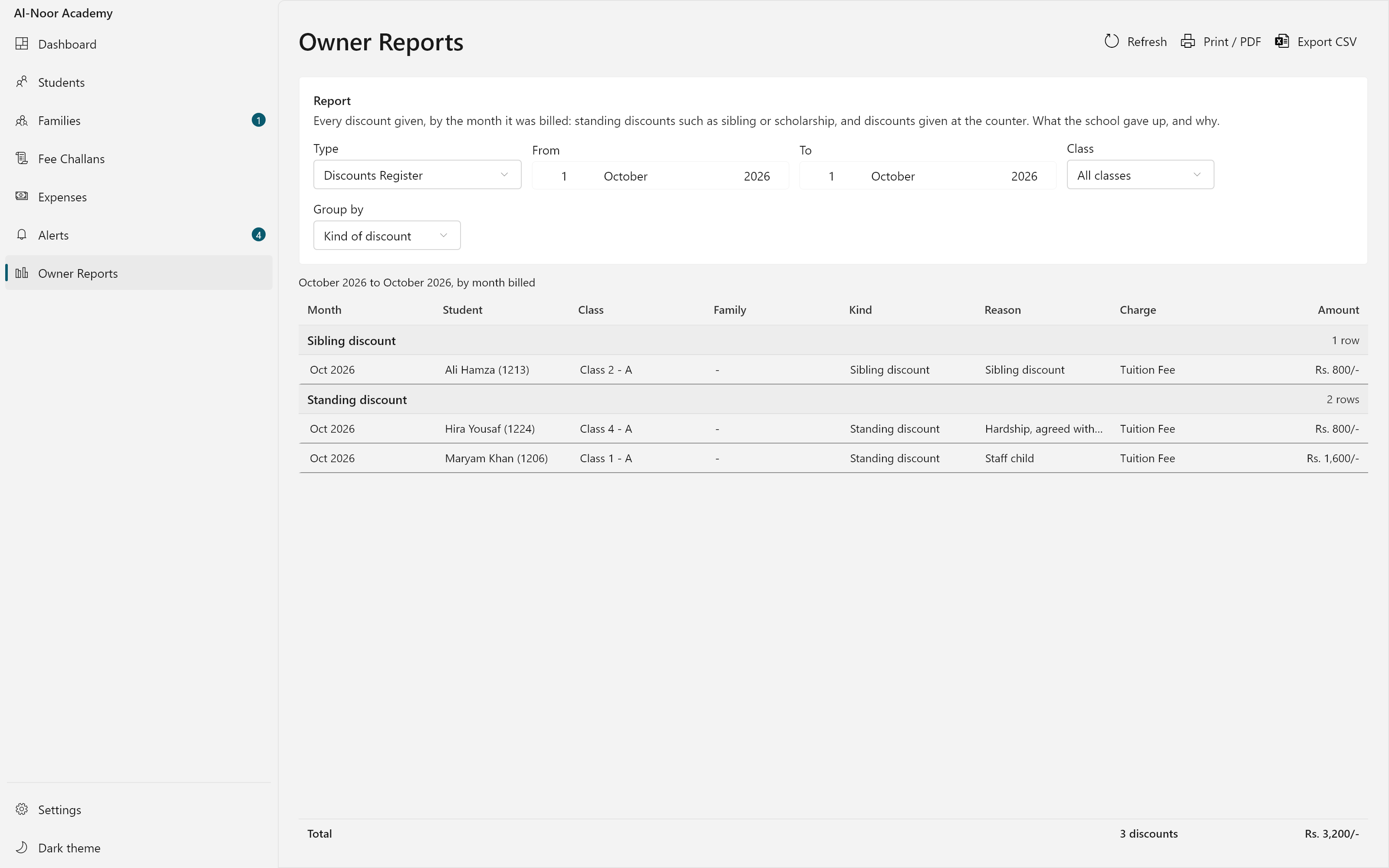
Sibling discounts, staff discounts and scholarships are all recorded in one place, called the Discounts Register. It shows how much each kind of discount cost the school every month, so nothing is given away without the owner seeing it.
Overdue fee alerts
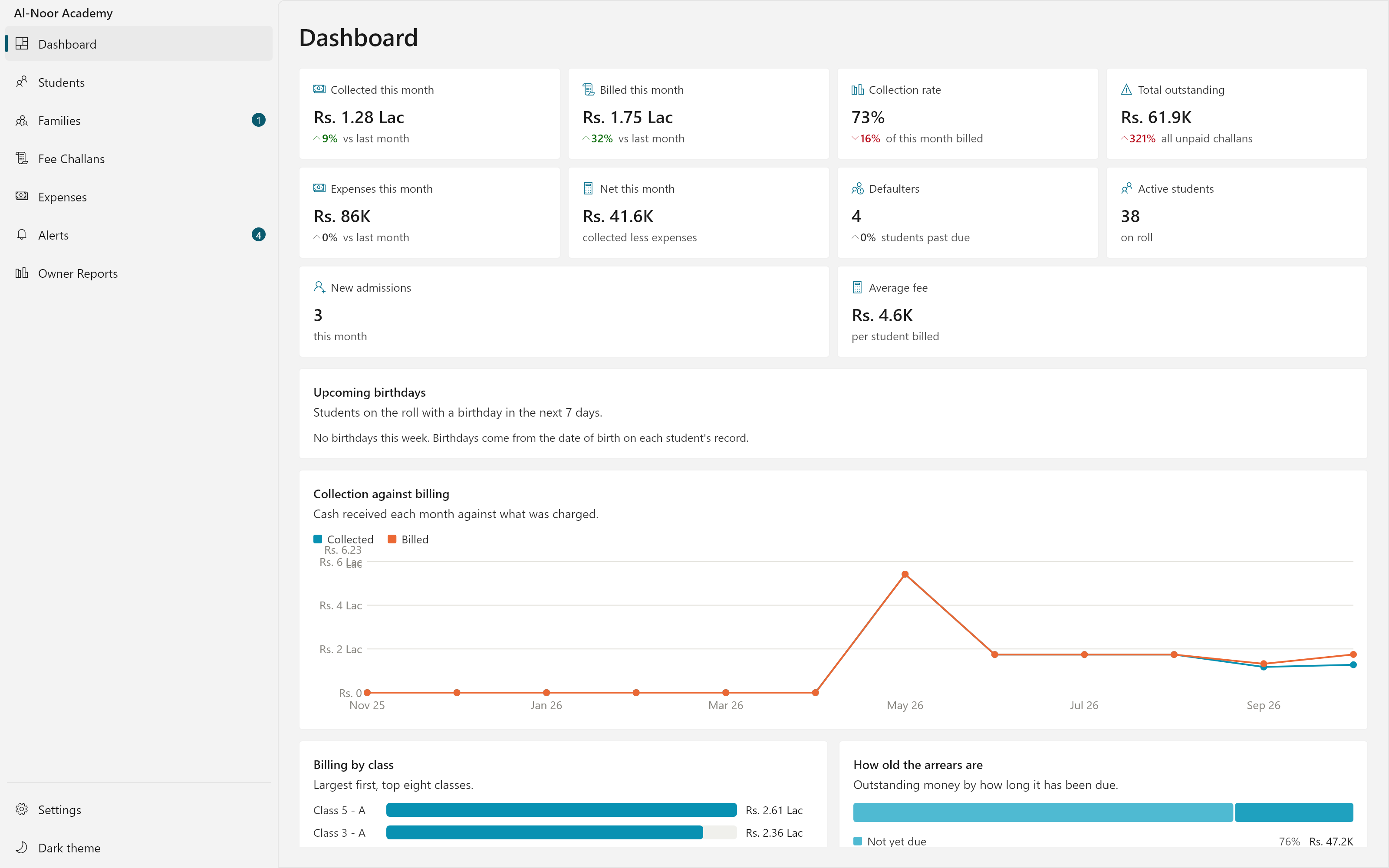
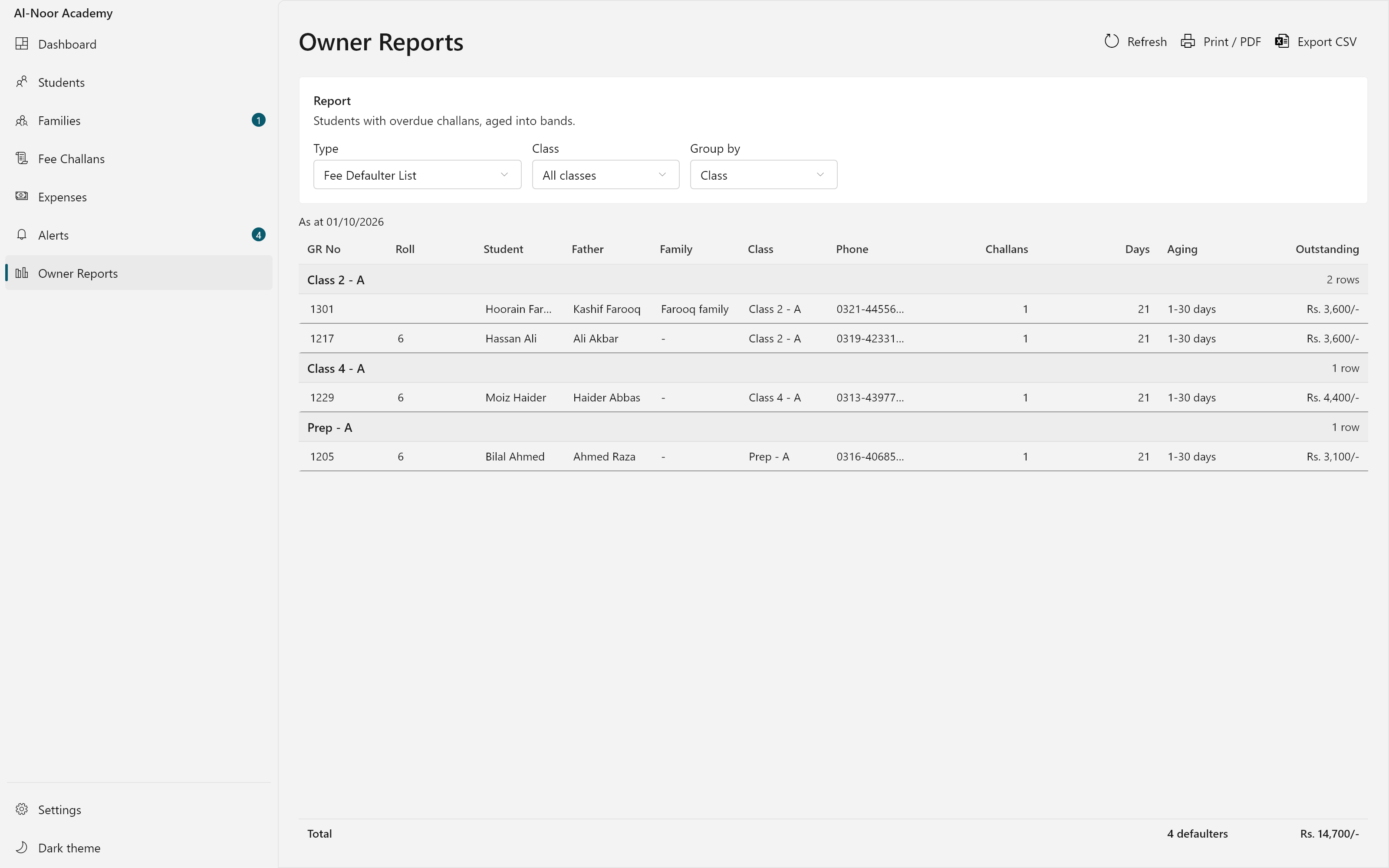
Families who have not paid are listed automatically and grouped by how many days they are late. Each one shows the guardian's phone number next to what they owe, so the office knows exactly who to call.
Reports for school owners
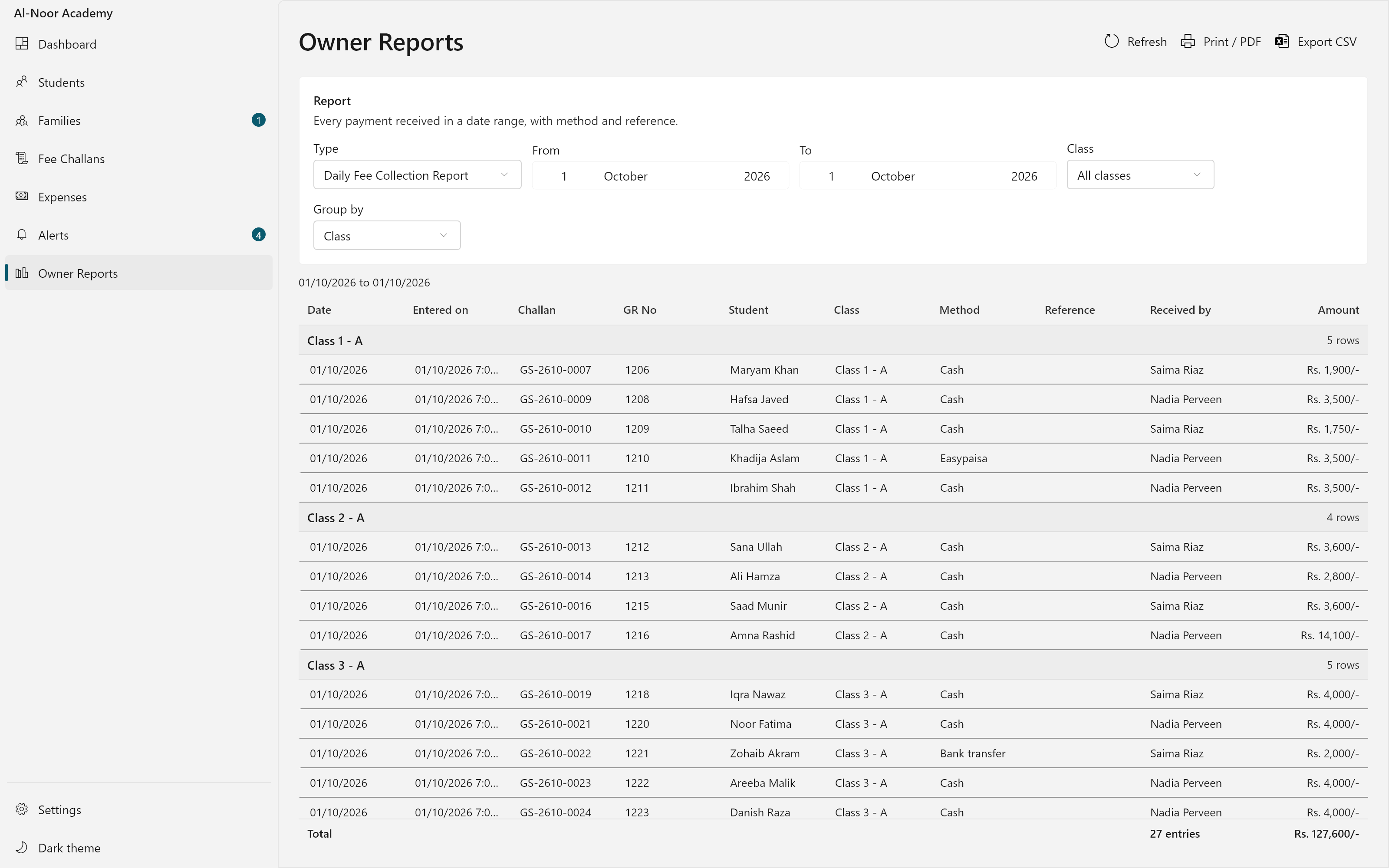
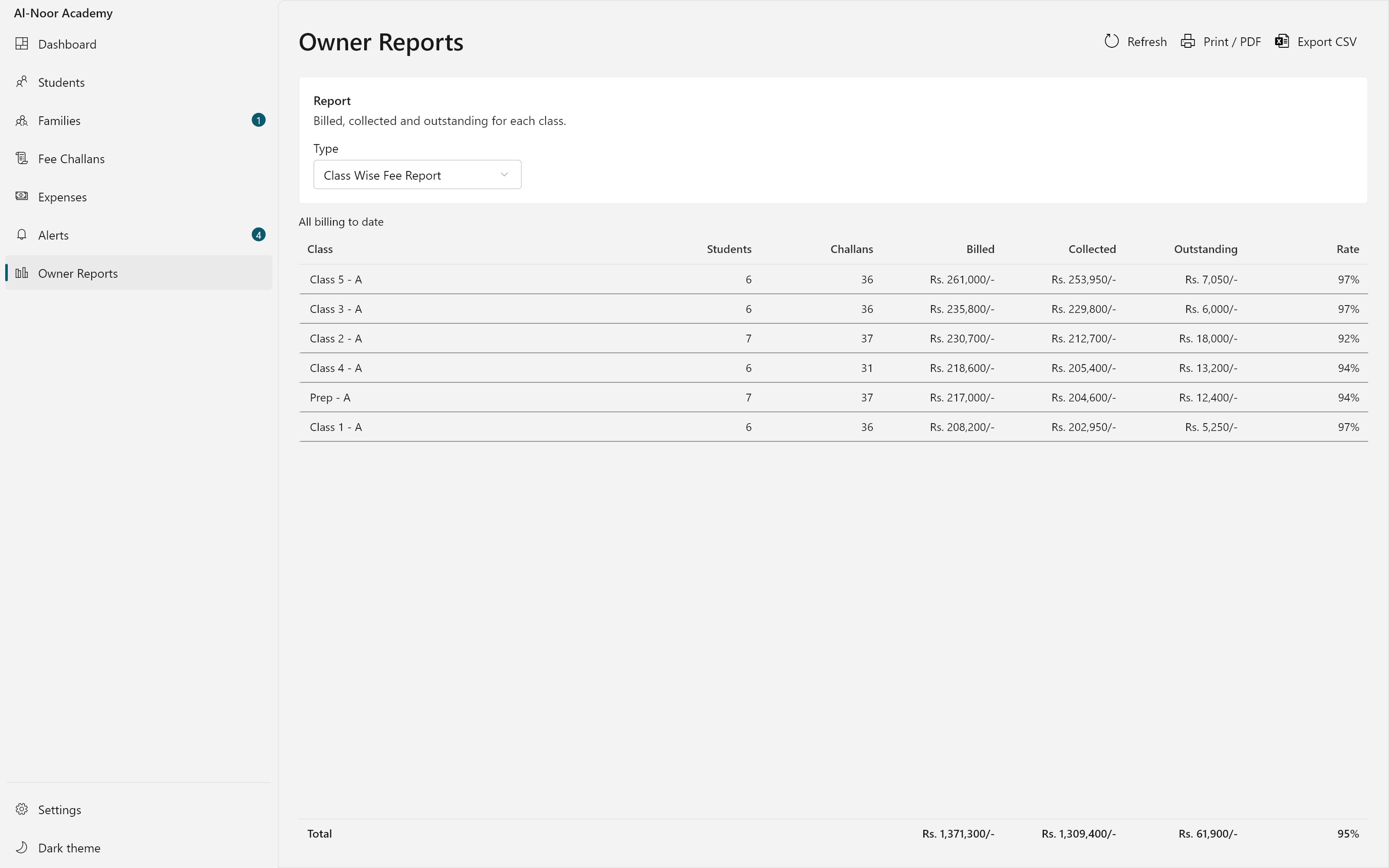
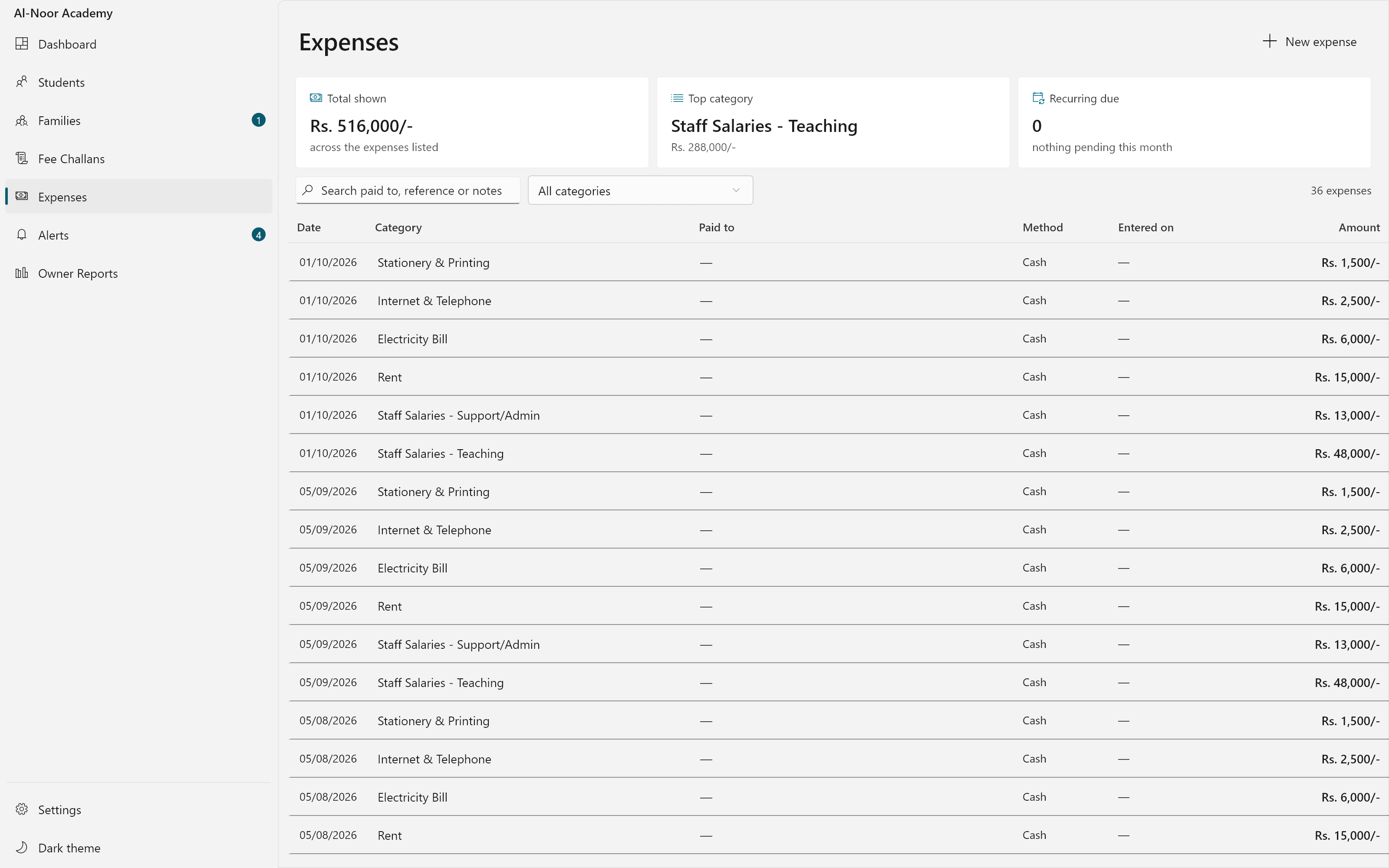
See daily collection totals, fee totals for each class, the list of families behind on payment, and how much the school spent. Any report can be printed as a PDF or sent to Excel in one click.
Works without the internet
All of the school's records are kept in one file on the office computer. No internet connection is needed for collecting fees. Keep backups of the local record and maintain reliable power for the office computer.
Questions and support
Contact hello@intlox.com for product questions. Downloads are delivered by our existing software distribution service. Product licensing and operating-system permissions apply separately from a software development engagement.